Choosing hardware for server, virtualization, or industrial deployments is rarely just “pick a CPU and a NIC.” Compatibility behavior varies widely across platforms because each platform enforces compatibility differently, uses different driver models, and reacts differently at the kernel/firmware boundary. Below is a concise, engineering-oriented comparison and a practical checklist for minimizing surprises in the field.
1) Hardware Compatibility Lists (HCLs): Degree of Strictness
VMware ESXi — Very strict, curated HCL
VMware maintains a formal Hardware Compatibility List (HCL) that maps specific server models, controllers, NICs, and exact driver/firmware versions to supported ESXi releases. If a device/driver/FW combo is not on the HCL, it’s considered unsupported — and that has operational and support implications. Vendors publish VIBs (VMware-installable packages) or partner-specific drivers to meet the HCL. (Packt)
Windows Server — Formal HCL/WHQL but broader device ecosystem
Microsoft relies on vendor-supplied drivers and a driver-signing/WHQL process to provide compatibility assurances. Windows supports many more off-the-shelf devices out of the box than ESXi does, but production environments often still require vendor-validated HCL entries (especially for server-class RAID/NIC/FC HBAs). Driver signing, KMDF/UMDF frameworks, and WHQL reduce risk but don’t replace vendor validation for large-scale deployments. (Microsoft Learn)
Linux — HCL is loose/communal; kernel integration matters
Linux doesn’t have a single centralized HCL equivalent. Instead, compatibility is driven by whether drivers are in the kernel tree (in-tree), available as well-maintained out-of-tree modules, or provided by vendors as DKMS packages. Many devices “just work” on modern distributions because Linux upstream includes a huge set of drivers, but enterprise customers must still verify specific firmware/driver/kernel combinations. Community HCLs and vendor support statements are common substitutes. (xmodulo.com)

2) Driver Stack & Development Model
ESXi
Uses a small, curated driver set optimized for hypervisor use.
Drivers are packaged as VIBs and tied to specific ESXi builds; upgrading ESXi often requires matching driver/VIB updates.
ESXi expects drivers to be lightweight and deterministic for virtualization contexts; vendor support for passthrough (VMDirectPath) is explicitly validated. (Broadcom Compatibility Guide)
Windows Server (KMDF/UMDF/WDM)
Windows driver frameworks (KMDF for kernel-mode, UMDF for user-mode) provide standardized driver models and abstractions (IRP handling, power management).
Vendors commonly ship signed .SYS drivers and installers. Drivers can be OS-updated via Windows Update (if vendor allows).
The framework hides many kernel details but enforces strict signing and PnP behaviors; Windows also isolates drivers more via user-mode frameworks when possible. (Microsoft Learn)
Linux (Kernel modules / in-tree drivers)
Linux drivers are typically built into the kernel or as loadable kernel modules. In-tree drivers are maintained by the kernel community and often benefit from wide testing; out-of-tree drivers (vendor modules) can lag kernel changes.
Tools like DKMS help rebuild out-of-tree modules across kernel updates. Linux provides low-level access and flexibility but puts more maintenance responsibility on integrators for non-upstream drivers. (Unix & Linux Stack Exchange)
3) Kernel / Hypervisor Behavior and Failure Modes
Boot & Initialization Differences
ESXi: Very strict early-boot checks; missing drivers or unsupported NIC/RAID firmware often result in host being unsupported or missing critical devices (no fallback). ESXi’s minimal userspace means failures are often fatal without recovery VIBs. (Packt)
Windows Server: Windows’ boot path includes rich fallbacks and recovery environments; drivers can be replaced offline via WinRE. However, kernel-mode driver faults can still blue-screen (BSOD) if a driver misbehaves. (Microsoft Learn)
Linux: Kernel modules can be dynamically loaded/unloaded; initramfs and init systems provide multiple paths to recover. A misbehaving driver can panic the kernel, but distributions often include rescue tools and boot parameter flexibility. (Unix & Linux Stack Exchange)
Hot-swap, Firmware, and Driver Interplay
ESXi’s HCL requires tested driver+firmware combos; changing FW without validated driver matching can create unsupported states. (Packt)
Windows supports vendor firmware updates, but driver/firmware mismatches can still cause outages (e.g., NIC offload behavior changed by FW). (Microsoft Learn)
Linux relies on driver robustness and kernel interfaces; vendor firmware blobs for NICs/SSDs are common and must be tracked per-distribution and kernel version. (xmodulo.com)
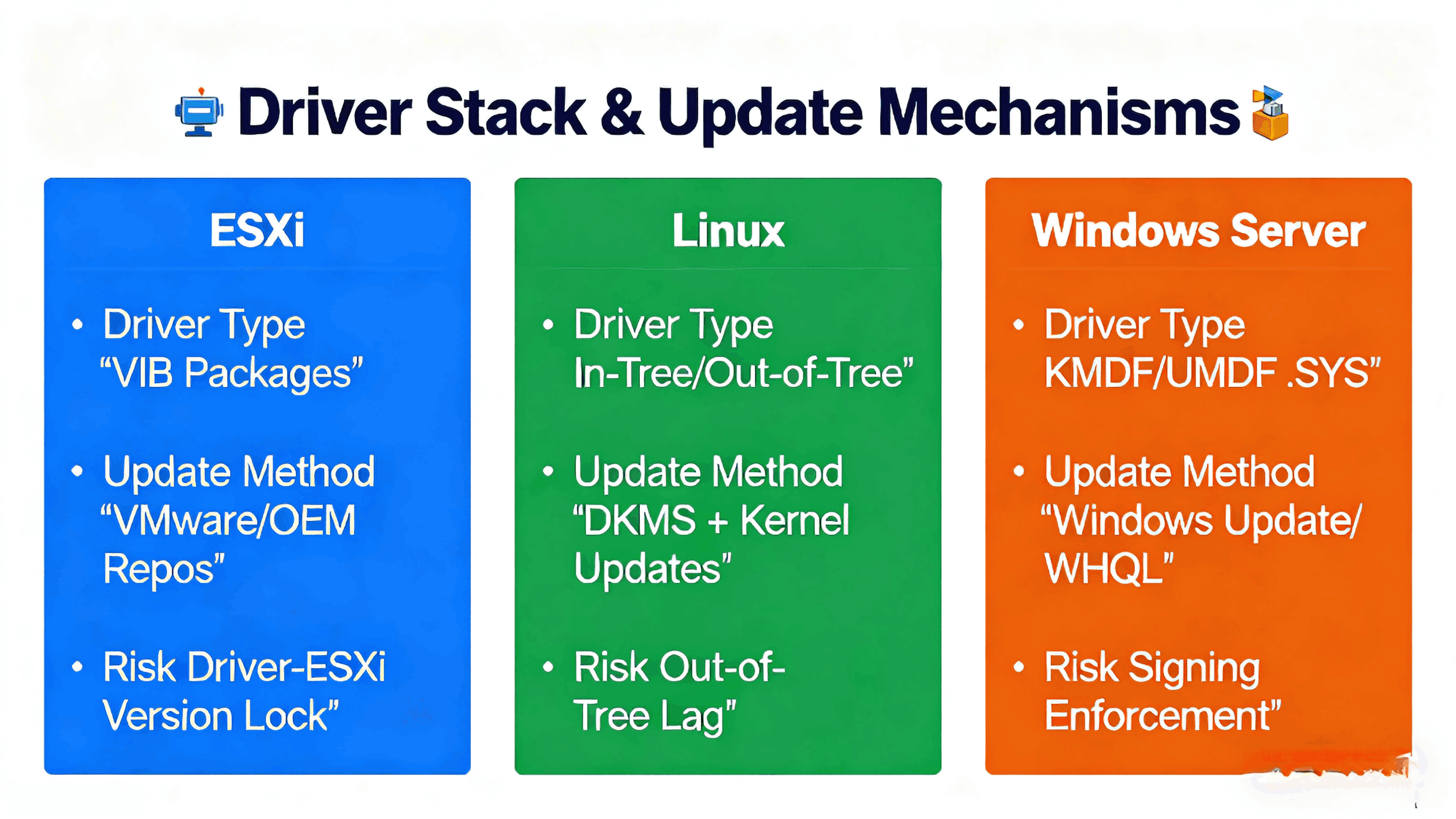
4) Driver/Security/Signing & Update Mechanisms
ESXi: VIBs are signed and tied to VMware’s lifecycle; updates are distributed via VMware or OEM repositories. Enterprise operations expect strict control over which VIBs are allowed. (Packt)
Windows Server: Kernel drivers must be signed; Windows Update can deliver drivers (if vendor permits). Microsoft’s driver signing and WHQL program raise the bar for trust. (Microsoft Learn)
Linux: No single “signing” authority—kernel module signing is supported, and distributions may enforce module signature checking. Many enterprise deployments use vendor-supplied, signed firmware blobs and carefully controlled repository updates. (xmodulo.com)
5) Practical Implications for System Design & Procurement
If you run ESXi at scale: buy hardware from the VMware HCL, insist on the vendor’s VIBs for your ESXi version, and treat firmware/driver combinations as immutable for each production baseline. This reduces support risk and simplifies lifecycle upgrades. (Packt)
If you run Windows Server-centric environments: rely on WHQL/signed drivers and ensure server vendors commit to driver/firmware bundles for your OS version. Use staged rollouts and test driver/firmware combos on representative systems. (Microsoft Learn)
If you run Linux (especially custom distros or kernel versions): prefer hardware with in-tree driver support or strong vendor-maintained DKMS packages. Track kernel-driver compatibility, and plan for rebuilding out-of-tree modules on kernel upgrades. (xmodulo.com)

6) Checklist: What to Verify Before Finalizing a BOM
Is the exact model + firmware + driver version listed in the target platform’s HCL (ESXi) or vendor support matrix (Windows/Linux)? (Packt)
Are drivers available as in-tree kernel modules (Linux) or as signed vendor drivers (Windows)? If not, who maintains DKMS/out-of-tree modules? (xmodulo.com)
For ESXi: do VIBs exist for the ESXi version you plan to run? Are they on VMware’s or the OEM’s repository? (Broadcom Compatibility Guide)
Does firmware update/change require coordinated driver updates across your fleet? Have you planned staged rollouts and rollback paths?
Are device firmware blobs and microcode versions tracked in your traceability system per SN (so you can map field failures back to exact FW/driver combos)?
7) How Angxun Helps OEM/ODM Customers Mitigate These Differences
As a 24-year OEM/ODM manufacturer with a 10,000 m² facility, five SMT lines, AOI/SPI inspection, and monthly capacity up to 300,000 boards, Shenzhen Angxun Technology Co., Ltd. integrates hardware and firmware readiness practices into production:
Pre-validated platform SKUs: we validate HW + BIOS/BMC + major controller firmware against target OSes (Linux distributions, Windows Server versions, and ESXi builds) before shipment.
Traceable BOM and firmware mapping: each SN can be mapped to component batches and firmware versions, enabling deterministic root-cause analysis if a driver/firmware interaction causes trouble.
Firmware bundles & compatibility guidance: for enterprise customers we deliver tested firmware/driver bundles and migration notes for ESXi, Linux, and Windows Server deployments.
Engineering support: our 50+ R&D engineers assist with driver validation, DKMS packaging for Linux, and supplying signed drivers/firmware where appropriate.
8) Short Summary
ESXi enforces the strictest HCL discipline and expects vendor-certified driver/firmware combos (use the HCL). (Packt)
Windows Server provides broad driver support with strong signing/WHQL controls; vendor validation is still recommended for server-class hardware. (Microsoft Learn)
Linux offers the most flexible ecosystem (in-tree drivers are preferred), but requires active lifecycle management for out-of-tree modules and firmware blobs. (xmodulo.com)